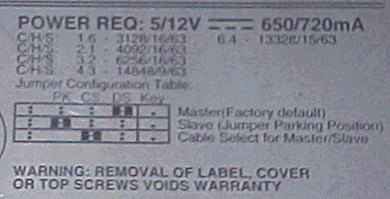
こちらが、ジャンパー他の設定が書いてあるところ
一番上に、電源の規格と消費電流
次の、C/H/S:1.6・3128/16/63
と有るのが、BIOSでHDDを認識させるための設定値です。
まぁ、最近のマザーボードのBIOSは賢くなってますので自動(AUTO)で認識されますけど・・・
この辺、詳しく説明すると長くなるので・・・
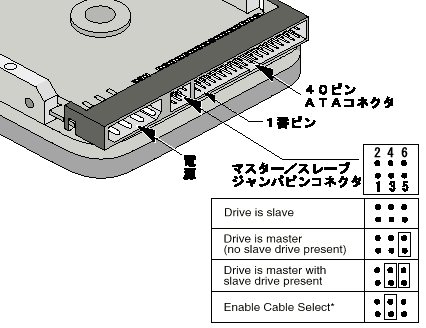
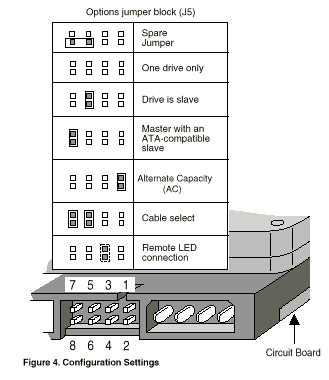
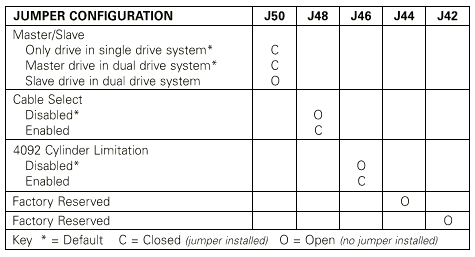
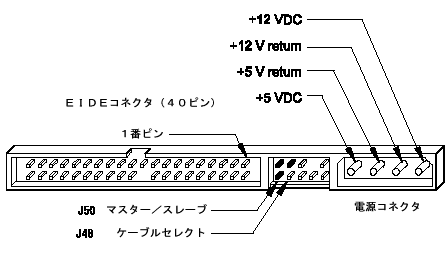
次の図は、HDDの接続のためのジャンパー設定です。
上から「Master」「Slave」「Cable Select・・・・」
通常は、Master(マスター)かSlave(スレーブ)のどちらかしか使いません。
この辺は、メーカーによって違うので判らないときは買うお店で聞いても良いでしょう。
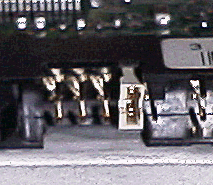 実際は、こうなってます。
この状態は、マスターです。
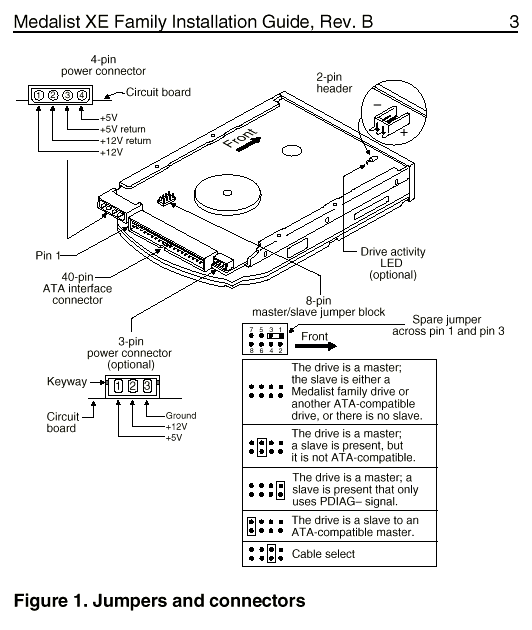
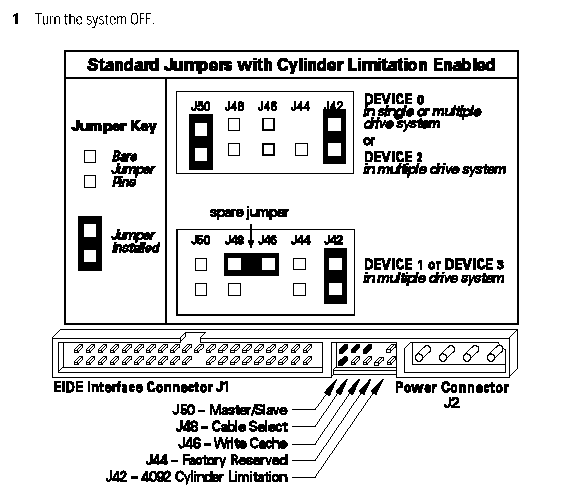
以上が、家のHDDの画像です。 各メーカーのサイトに載っている説明の一部を以下に載せます。
ほとんどが英語ですけどあっしにも読める位なので大丈夫でしょう?
(一部、改行とか見た目変えてあります)
Jumper Settings
| |
DS |
CS |
PK |
Rsvd |
| Stand alone |
ON |
OFF |
X |
OFF |
| Master to Slave |
ON |
OFF |
X |
OFF |
| Slave to Master |
OFF |
OFF |
X |
OFF |
X = PK is a Parking
position. The presence or absence of this
jumper has no effect on the drive. Labeling
may
indicate to place this jumper when configuring
as a slave. This is to provide for
retention of the jumper in the event it is
needed later.
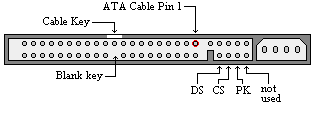
Jumper Locations
The Fireball EX disk drive has only one location
where user
configurable jumpers are found. The jumper
block is incorporated into the ATA / IDE
cable
connector. Using the jumper pins you can
establish the drive Master/Slave configuration.